Note: I built this because I think it's hilarious to give out a link to rorchat instead of giving out my phone number, email, or LinkedIn. If you're here because I sent you this link instead of my contact info — yes, this is real, and yes, I do actually respond. It's non ironically the best way to reach me, when someone messages me I get a full page push notification on my phone - it's the only app I have that on for!
What It Does
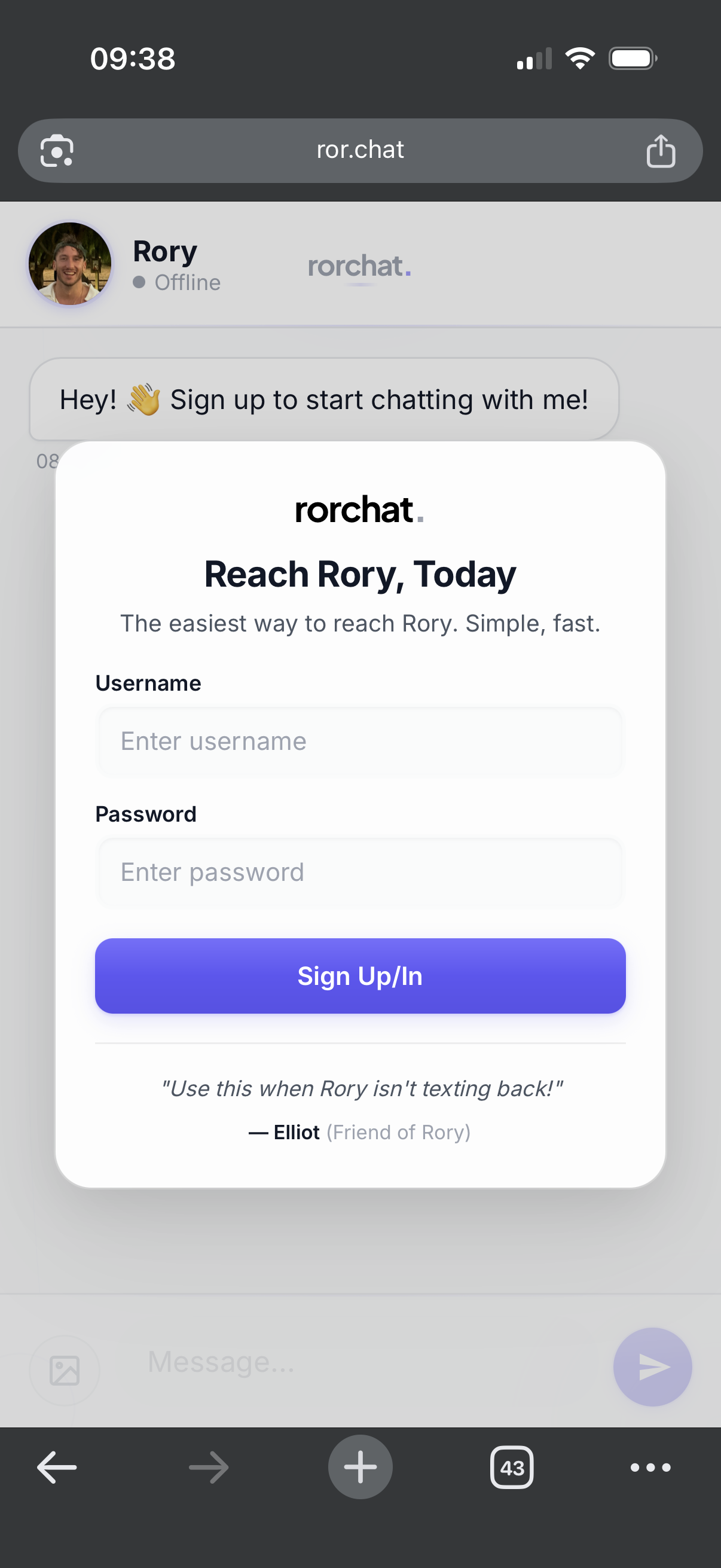
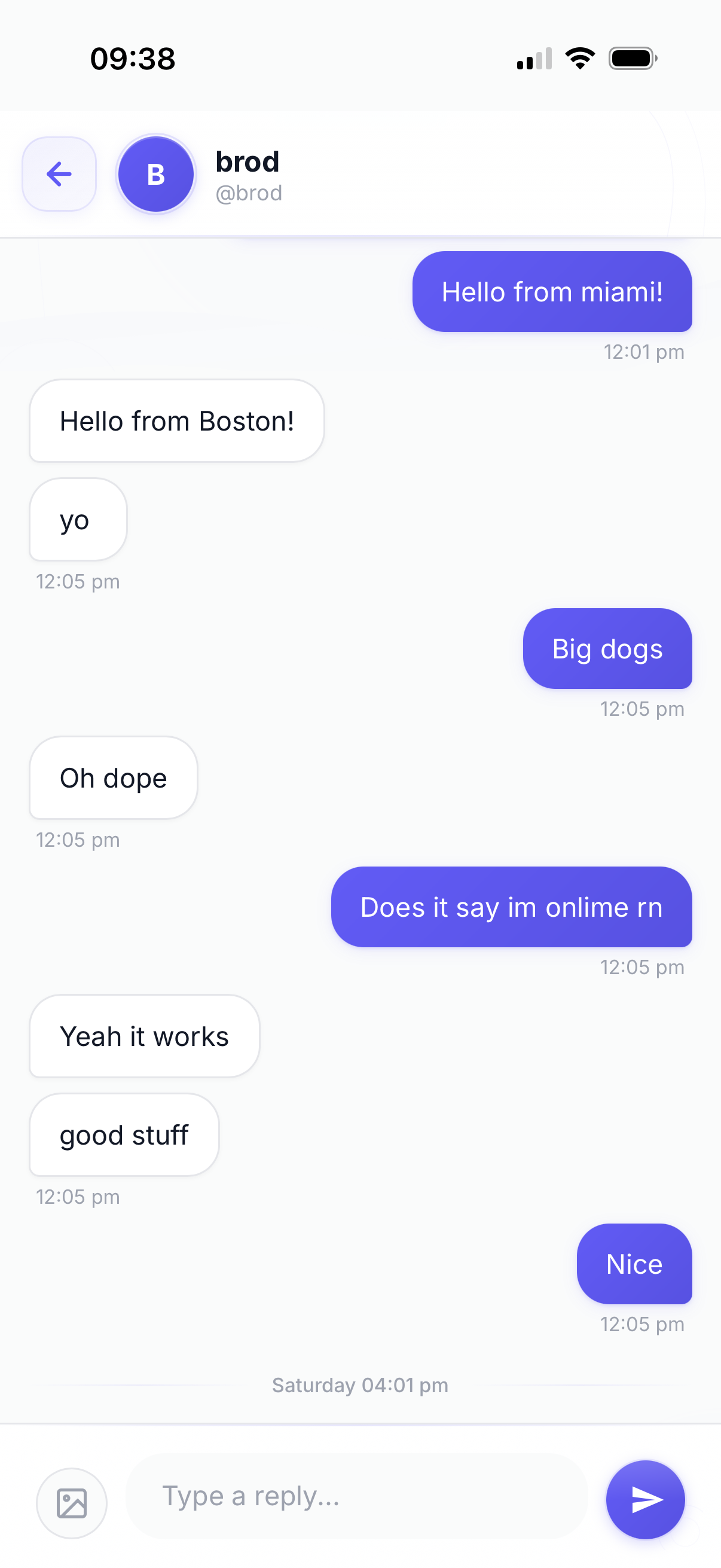
rorchat is a web-based messaging app that lets anyone start a conversation with me. It works like a personal customer support chat, but for personal use:
- Visitors sign up with just a username and password, then chat
- Admin (me) responds from a protected dashboard at
/admin
Tech Stack
| Layer | Technology |
|---|---|
| Frontend | Next.js 16 (React 18, App Router) |
| Backend | Next.js API Routes |
| Database | PostgreSQL via Supabase |
| Auth | Custom username/password (bcrypt + hashed session tokens) |
| Deployment | Vercel |
Key Features
For Users
- 🔐 Simple signup (username + password only, no email)
- 💬 Real-time chat with polling (2-second intervals)
- ⌨️ Typing indicators
- 😊 Emoji reactions (👍 ❤️ 😂 😮 😢)
- ↩️ Reply-to-message threading
- 📷 Image messages (auto-compressed)
- 🖼️ Profile picture upload with crop tool
- ✏️ Change username anytime
- 🔔 Push notifications (optional)
For Admin
- 📋 Conversation list with user avatars
- 💬 Full chat history per conversation
- ⌨️ See when users are typing
- 📷 Send image messages
- 🔔 Push notifications for new messages
Architecture
┌─────────────────────────────────────────────────────────────┐
│                         Browser                              │
├─────────────────────────────────────────────────────────────┤
│  / (User Chat)              │   /admin (Admin Dashboard)    │
│  - Auth modal               │   - Password-protected        │
│  - Message view             │   - Conversation list         │
│  - Image upload             │   - Reply interface           │
└──────────────┬──────────────┴───────────────┬───────────────┘
               │                               │
               ▼                               ▼
┌─────────────────────────────────────────────────────────────┐
│                    Next.js API Routes                        │
├─────────────────────────────────────────────────────────────┤
│  /api/auth/*     - signup, signin, signout, me, profile     │
│  /api/chat/*     - messages, typing, reactions, upload      │
│  /api/admin/*    - login, conversations, messages, reply    │
└──────────────────────────────┬──────────────────────────────┘
                               │
                               ▼
┌─────────────────────────────────────────────────────────────┐
│                    PostgreSQL (Supabase)                     │
├─────────────────────────────────────────────────────────────┤
│  users          │  Sessions + hashed passwords              │
│  sessions       │  Hashed session tokens (30-day expiry)    │
│  conversations  │  User ↔ Admin chat threads                │
│  messages       │  Text + images + replies                  │
│  message_reactions │  Emoji reactions per message           │
│  typing_status  │  Who's currently typing                   │
└─────────────────────────────────────────────────────────────┘
Security Model
| Aspect | Implementation |
|---|---|
| Passwords | Bcrypt hashing |
| Sessions | Random 256-bit tokens, SHA-256 hashed in DB |
| Cookies | httpOnly, secure (prod), sameSite: lax |
| Database | RLS enabled, all Supabase public API access revoked |
| API | All DB access through server-side API routes only |
Project Structure
rorchat/
├── app/
│   ├── page.tsx              # Main user chat interface
│   ├── admin/page.tsx        # Admin dashboard
│   ├── layout.tsx            # Root layout with fonts
│   ├── globals.css           # All styling
│   └── api/
│       ├── auth/*            # User auth endpoints
│       ├── chat/*            # User messaging endpoints
│       └── admin/*           # Admin-only endpoints
├── lib/
│   ├── db.ts                 # PostgreSQL connection pool
│   ├── auth.ts               # Session management
│   ├── imageUtils.ts         # Image processing
│   ├── ImageCropper.tsx      # Profile pic crop tool
│   └── usePushNotifications.ts
└── public/
    └── sw.js                 # Service worker for push
Summary
rorchat is a clean, mobile-first personal messaging app. It's essentially "DMs with Rory" — visitors create an account and chat, I respond from a dashboard. Built with Next.js and Supabase, it prioritizes simplicity (no email required) and security (no direct DB access from browser).